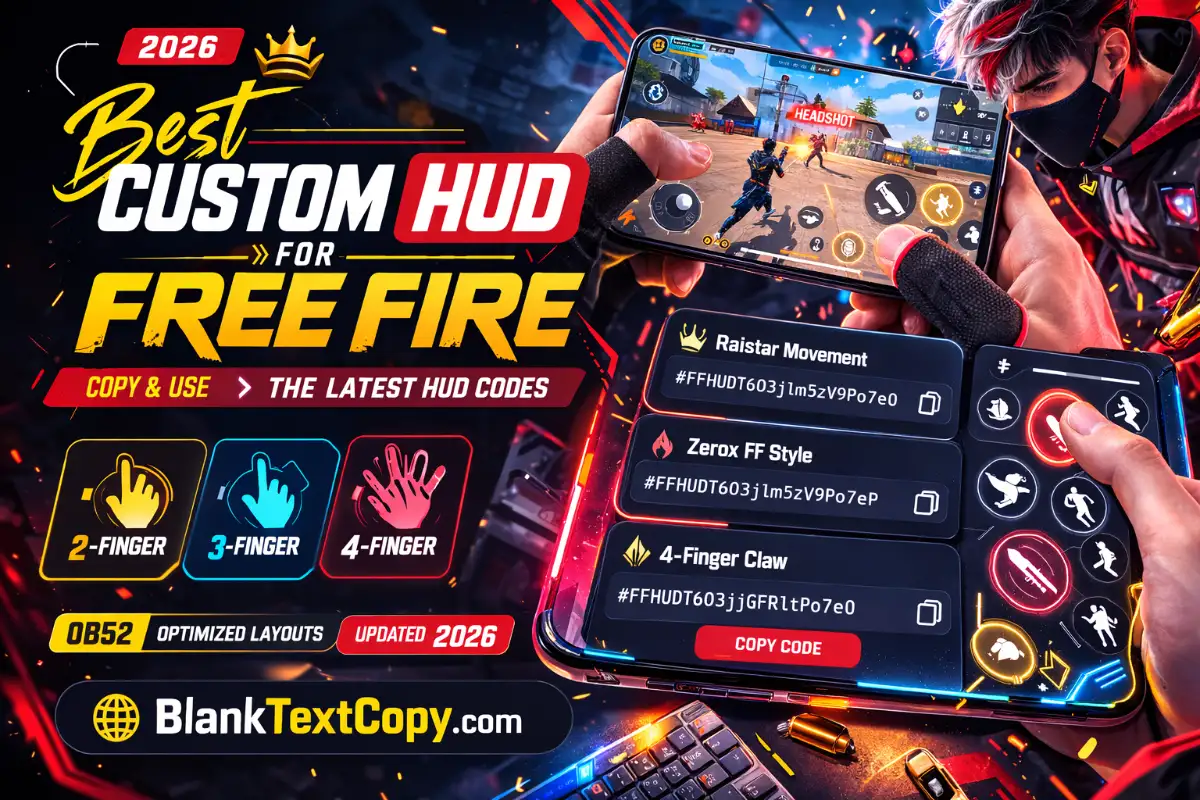
HUD FF OB55: Best 2-4 Finger Custom HUD Code In FF 2026
Want a faster, cleaner HUD for 2–4 finger play in Free Fire (2026)? This guide gives you ready-to-use HUD share codes plus a practical HUD Finder tool to preview, filter, and copy layouts in seconds.
A Free Fire HUD share code is a layout code you can paste to instantly apply someone’s button layout. In OB55, Garena added a HUD Recommendation System inside Settings > HUD, moved the share-code tool to the bottom-left of that page, and share codes can include both HUD + sensitivity—you can choose whether to sync the linked sensitivity when applying.
You can use the latest 2026 Free Fire HUD share codes below, tested and organized for quick copy & paste. Scroll down to explore more optimized layouts for 2–4 finger playstyles and pick the one that fits your device best.
FF
Best Pro HUD Codes (OB55)
Hand-updated packs for 2–4 finger players. Copy a code, import in-game, then tweak button size & spacing for your device.
Updated: 9 / 14 / 2026Packs: 2-Finger • 3-Finger • 4-Finger💎 Tip: If copy fails, press & hold the code
✅️ Raistar Movement
FAST
Thumb layout that feels quick in close fights. Good if you like faster drags and simple button reach.
Clean screen + stable fights. Great if you want a calm thumb HUD for ranked consistency.
💡 Quick tweak: keep Fire size comfortable, don’t push it too small.
✳️ Fast Gloo Wall
DEFENSE
Focuses on faster utility reach (gloo / quick actions). Works well for BR survival play.
💡 Quick tweak: set opacity for extra buttons so you can still track targets.
💥 OB55 Update Pack
NEW
A “fresh-feel” thumb layout to re-learn muscle memory after updates. Good for training sessions.
💡 Quick tweak: test 10 minutes in training before ranked.
➜ How to import: Settings → HUD → HUD Recommendation System → Use Share Code → Paste → Apply.
✔ Note: If you’re asked about syncing sensitivity, choose what fits your current settings.
👍 3-Finger Hybrid (Rank)
BALANCED
Easy claw transition. Lets you shoot + move smoother without full 4-finger commitment.
💡 Quick tweak: keep Scope and Fire separated so fingers don’t overlap.
⭐ PUBG Style
HYBRID
If you came from other shooters, this spacing feels natural. Great for consistent aim training.
💡 Quick tweak: increase button spacing if you mis-tap in rush fights.
💀 Clean Control (3-Finger)
CONTROL
Less clutter for better tracking. Good for AR mid-range and calmer fights.
💡 Quick tweak: lower opacity on unused buttons to keep vision clear.
Fast Utility 3-Finger
UTILITY
Optimized for quick gloo / swap / crouch control while keeping aim stable.
💡 Quick tweak: don’t place gloo too close to Fire to avoid accidental taps.
Pro tip: choose ONE goal per HUD (rush / rank / control) and keep your core buttons in the same spots across packs.
🌟 4-Finger Claw Pro
PRO
High action-per-second layout for fast jump/crouch/scope combos. Great for Clash Squad.
💡 Quick tweak: increase spacing around Fire to avoid accidental swipes.
✅️ Aggressive Claw
RUSH
Designed for pressure fights and fast utility. Best if you like close-range tempo.
💡 Quick tweak: keep gloo on a consistent corner so muscle memory stays stable.
🏆 Balanced Claw (Swap Focus)
POPULAR
Good for quick swapping while keeping your view clean. Works for BR + CS.
💡 Quick tweak: place weapon slots slightly lower if you mis-swap.
Claw Training Pack
SAFE
A calmer 4-finger feel to train without stress. Great to build claw habits step-by-step.
💡 Quick tweak: start with bigger buttons, then reduce slowly after 2–3 days.
Claw setup tip: If your index fingers block vision, reduce opacity and shift top buttons slightly outward, not downward.
Best Custom Hud In Free Fire For Headshot 3 Finger 2026 (Hybrid / Easier Claw)
Three-finger HUDs usually add one extra action finger so you can shoot/peek faster without fully committing to 4-finger claw.
1) Zerox-Style 3-Finger (Long-range + control) – Best custom HUD in Free Fire for headshot 3 finger
Code: #FFHUDT6O3jRoP1WVPo7eN Best for: mid/long control, cleaner aiming. Quick tweak: place Scope and Fire so your third finger doesn’t block your view.
2) PUBG-Style Hybrid (Good if you came from other shooters)
Code: #FFHUDT6O3jlm5zV9Po7eN Best for: hybrid movement + utility. Quick tweak: keep Crouch + Jump separated so you don’t panic spam.
3) Xerox FF Style (General all-rounder)
Code: #FFHUDT7O3jjGFSltPo7eM Best for: flexible playstyles. Quick tweak: if you miss head drags, lower the Fire button slightly.
💎 Free Fire ID & Trending Unique Bio Hub 💥
Need a pro-looking Free Fire profile with perfect bio style, colour code, house art or weapon line? Use these tools and ready-made codes to customize your FF ID, V Badge, love bio and gun/M1887 signature in seconds.
Four-finger HUDs are for fast actions: instant gloo wall, quick peek, faster scope + jump combos.
1) 4-Finger Claw Pro
Code: #FFHUDT6O3jjGFRltPo7eO Best for: fast movement + high actions per second. Quick tweak: increase spacing around Fire so the index finger doesn’t mis-swipe.
2) SadX-Style Claw (Community share)
Code: #FFHUDT6O3j4OudPJPo7eO Best for: aggressive claw habits. Quick tweak: move Gloo Wall to a consistent corner position.
3) Zerox Shared Code (Community share)
Code: #FFHUDT6O3jvwqGElPo7eO Best for: fast switching and cleaner right-side actions. Quick tweak: set Weapon slots slightly lower if you fat-finger swaps.
Note: community codes can vary by device feel and updates. If a code returns “invalid,” try the next one or use the HUD Finder tool to pick a similar layout quickly.
A HUD that tries to do everything often feels messy.
Step 4: Tip — Sensitivity Sync Is Optional
Because OB55 codes can include HUD + sensitivity, don’t blindly sync sensitivity if your current sens is already stable. Apply the HUD first, test 10 minutes, then decide whether you want the linked sensitivity.