Want your Instagram Highlights to show only the icons, with no text underneath? “No name” or invisible name highlights are a clean, minimal way to style your profile, and you can do it safely using special blank characters. This guide shows you how to create no name Instagram highlights in 2026 with simple copy and paste tricks—no shady apps needed.
Instagram Highlights are the round circles under your bio that save your Stories permanently. Normally, each Highlight has a title like “Travel”, “Food”, or “2026”. A no name Instagram highlight is simply a Highlight where the title looks empty.
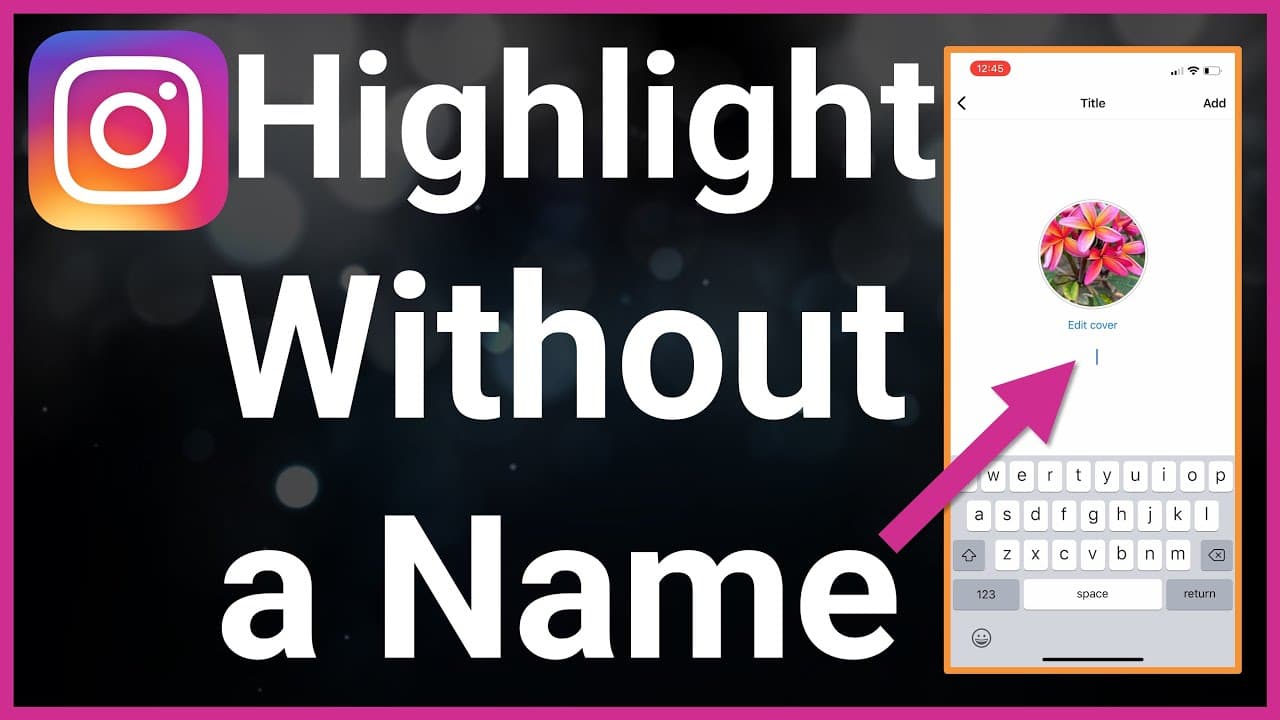
Highlight Instagram Without Name
Instead of regular letters, you use a special invisible character that Instagram accepts as text but displays as blank space. The result:
Your profile shows only the Highlight cover icons,
There is no visible word under each circle,
Everything is still 100% functional and safe.
This trick works for both new and existing Highlights, as long as you can edit the name field.
💥🌸🌿 Need more ideas for your Instagram bio and captions? Use these tools to build stylish fonts, ready-made bios and catchy nicknames that look clean on your profile.
Tap Next to reach the “Name your highlight” screen.
For an existing Highlight
Open your Instagram profile.
Long-press on the Highlight you want to edit.
Tap Edit highlight.
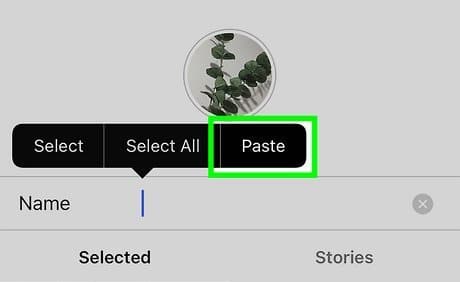
On the Edit screen, tap “Name” to edit the title.
Step 2: Clear your current name
On the name line:
Delete the current title completely (backspace until the field looks empty).
Do not type a normal space—Instagram sometimes rejects a single plain space as an empty name.
Step 3: Use an invisible character instead of text
Instead of typing letters, you’ll insert a blank / invisible character:
Scroll down on this page to the section with blank highlight names (explained in the next heading).
Copy one of the invisible name presets.
Go back to Instagram and paste it into the name field.
Tap Done / Save.
Copy and paste invisible name Instagram
If the character is supported on your device and Instagram version, the Highlight title will now appear completely empty, but the circle and cover still show normally on your profile.
✅ Tip: After saving, refresh your profile and check it from another account or a friend’s device to confirm the highlight really appears with no name on different phones.
Blank Name Instagram Copy And Paste
𓊆SHORT𓊇
𓊆 MEDIUM 𓊇
⠀ ⠀ ⠀ ⠀ ⠀ ⠀ ⠀ ⠀ ⠀
𓊆LONG BLANK NAME𓊇
Here’s how to use it:
Scroll down to the app area directly under this heading (this is where you will embed your blank name presets).
Tap the button or field to copy an invisible highlight name.
Open Instagram → go to the Highlight Name field → paste the invisible text.
Tap Save / Done, then check your profile.
You can use:
Short blank names (single invisible character) for simple no-name highlights.
Slightly longer blank strings if one character does not work on your device and you need a wider invisible space.
If you want more control over the length and style of your invisible text, you can use an Instagram no name highlight generator. Instead of fixed presets, this tool lets you build custom blank names.
Tips & Tricks For No Name Instagram Username In 2026
A few practical tips to make your no name Instagram highlights look good and stay consistent:
Test on another phone Some devices may show a tiny box or dot if they don’t fully support a character. Ask a friend for a screenshot, or log in from another device to confirm that the name really looks invisible.
Combine icons + no name Use strong, clear highlight covers (emoji-style icons, simple graphics), then apply an invisible name. Your profile will look clean and modern because viewers see only icons without text clutter.
Use minimal text elsewhere If your highlights have no names, consider keeping your bio and username simple so the whole profile feels intentional, not broken.
Avoid suspicious third-party apps You do not need any “hack” app or login-based tool to get invisible names. Stick with safe copy and paste invisible characters like the ones on this page.
Be ready for changes Instagram occasionally updates how it handles whitespace or special characters. If your invisible names suddenly stop working, come back to the generator on this page and try a new blank string that matches the latest behavior.
Can I have Instagram highlights with completely no title?
You cannot leave the name field truly empty, but you can use an invisible character that looks like nothing. Instagram still thinks there is text, while your profile shows a highlight circle with no visible title.
Why do I sometimes see a dot or a small box instead of a blank name?
That usually means your device or font doesn’t fully support the character you used. Try a different invisible character from the blank highlight name copy and paste section, or generate a new one with the Instagram no name highlight generator.
Will invisible highlight names work forever?
There is no guarantee. Instagram can change how it treats special characters at any time. However, because these are normal Unicode characters (not hacks), they often continue to work across updates. If one style stops working, you can switch to another blank string.
Is it safe to use invisible characters in highlight names?
Yes. Invisible characters are just text; they don’t break Instagram’s rules. The only real risk is if you use unsafe third-party apps that ask for your password or claim to “unlock secret features”. Always use plain copy and paste tools, not apps that require your login.
Can I use invisible names for other parts of my Instagram profile?
Yes. The same blank characters can be used for names, bios, captions, comments or DMs, but each field behaves slightly differently. Some might reject certain characters, or shorten the text, so always test before using it widely.