Looking for a clean, working way to get both an invisible Discord avatar and a no-name (blank) Discord username in 2026? This guide focuses on practical, copy-paste steps that pass Discord’s checks today, plus clear troubleshooting if something fails on your device or region.
You’ll learn exactly how to export a true-transparent PNG for your avatar, which invisible characters reliably produce a blank name, how to send blank text in chat, and the do’s/don’ts for accessibility and community rules.
Discord avatars only look truly “invisible” when the image has a transparent alpha channel—not a white or black background. A JPG or a PNG exported without transparency will not work.
To complete the effect, pair your invisible name with a blank profile picture. Here’s how:
Step 1: Download a white or transparent PNG (blank avatar):
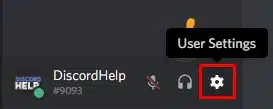
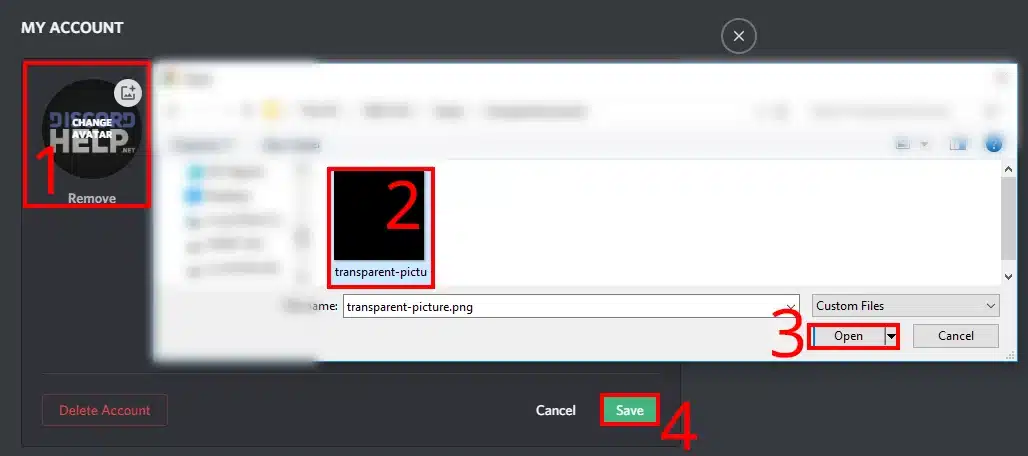
Step 2: Go to Discord → User Settings → Edit Profile.
Invisible Avatar Discord – Setting
Step 3: Upload the blank PNG as your avatar.
How To Make Invisible Avatar In Discord
Step 4: Save changes.
Desktop (Windows/Mac)
Click “Download Invisible Avatar (PNG)” to get a 512×512 transparent PNG (Invisible-profile.png).
Delete/disable the background layer so the canvas shows a checkerboard (transparency).
Export as PNG with alpha channel (a.k.a. “transparent background” enabled).
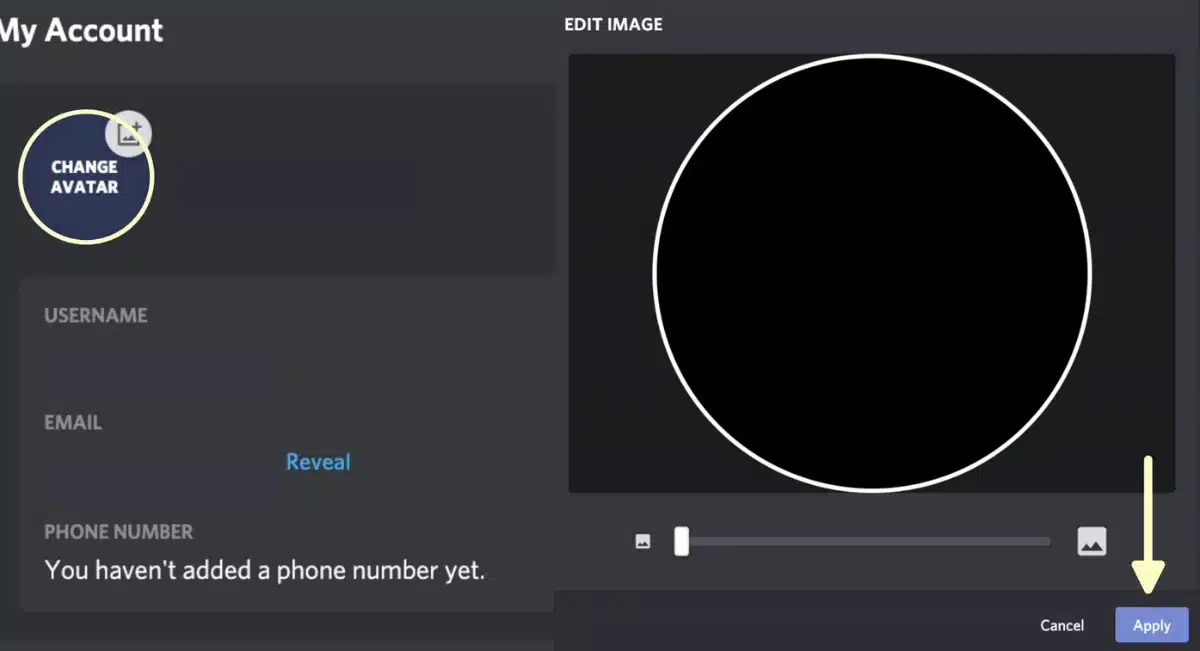
In Discord: User Settings → Profiles → User Profile → Change Avatar → upload your transparent PNG → don’t crop (or crop within the transparent area) → Save Changes.
Mobile (iOS/Android)
Prepare a transparent PNG on your phone. Many mobile editors support “PNG (transparent).”
Discord: Profile → Edit Profile → Change Avatar → upload the same image → Save.
Invisible avatar Discord
Quality checklist
Format: PNG with alpha/transparency (JPGs can’t be transparent).
Size: 512×512 (1:1) recommended; keep <10 MB.
No hidden fills: If you still see a faint square, re-export with no background and ensure no solid layer bleeds into edges.
Verify transparency: Open the file in an editor that shows a checkerboard background. If you see white, the image isn’t transparent.
Troubleshooting
Avatar shows as a white/black circle → you exported a non-transparent image. Re-export as PNG with transparency.
Avatar still caches old image → Ctrl/Cmd + R on Discord desktop, or fully kill and reopen the mobile app.
Image exceeds size limit → downscale to ~512×512 or compress (without flattening alpha).
Discord prevents truly empty names, and it normalizes/strips some whitespace. The trick is to use invisible Unicode characters that pass validation, long, or short 2–4 character combos that remain visually blank.
Start here (copy-paste workflow):
Open a trusted reference for copy-ready invisible characters and a step-by-step rename flow: Invisible Name Discord (guide).
Copy a single, durable character first (examples below).
Paste in User Settings → Profiles → Username (or your active profile’s username field).
Save. If the button is disabled or you see “name can’t be empty,” try a recommended combo.
Durable single characters (described by Unicode name):
WORD JOINER (U+2060) — resilient spacer.
ZERO WIDTH NON-JOINER (U+200C) and ZERO WIDTH JOINER (U+200D) — tiny, invisible join controls.
NO-BREAK SPACE (U+00A0) — looks like a space but resists trimming.
BRAILLE PATTERN BLANK (U+2800) — appears blank in many fonts.
Minimal combos that often work in 2026:
U+2060 + U+00A0 (WORD JOINER + NBSP)
U+200D + U+2060 (ZWJ + WORD JOINER)
U+200B + U+00A0 (if Zero-Width Space is collapsed alone, NBSP preserves width)
Why combos? A single code point may be collapsed by Discord. A short combo increases pass rates while staying visually blank. Want a broad, platform-agnostic reference of invisible characters? See the curated catalog here: Invisible Name (hub) (one-time reference).
Rename tips (to avoid silent failures):
Paste → Save immediately. Some keyboards “fix” whitespace if you keep typing.
If the button won’t enable: try another variant (e.g., add U+2060) or a 2–4 char combo.
Cross-device check: View your profile from a second device (or ask a friend) to confirm the name renders blank for others.
If validation keeps failing, restart Discord or your device to flush clipboard and cache.
Discord Invisible PFP, Empty Messages, Spacers, And Formatting Tricks
Sending a blank line in Discord can be useful for spacing or emphasis. However, Discord may trim or block purely whitespace messages.
Three methods that work better in practice:
Method A — Resilient blank: paste a WORD JOINER (U+2060) or a combo (e.g., U+2060 + U+00A0) into the chat box and send.
Method B — Multi-line anchor: place a regular text line, then a blank line using an invisible character, then another text line. Discord is less likely to normalize away a middle line.
Method C — NBSP spacer: repeat NBSP (U+00A0) as needed to create a visual gap.
For cross-app blank messaging patterns (copy-ready samples you can adapt to Discord), see: Blank Message.
Accessibility note: Excessive blank lines may confuse screen readers. Keep it tasteful in public servers.
Extra: policy, etiquette, and accessibility in 2026
Identity & moderation: Server rules may discourage non-identifiable profiles. If staff asks, be ready to switch to a visible avatar/name.
Impersonation: Do not mimic other users or staff. Invisible formatting is fine for aesthetics, not for deception.
Screen readers: Invisible names or blank messages may be announced as “blank,” which can be confusing. Consider adding recognizable elements in your server nickname or keeping a clear avatar on alt profiles.
Backup your characters: Save your preferred invisible variants in a pinned note so you can re-paste after client updates.
Invisible Avatar Discord – The Minimal, Reliable Recipe
Invisible name: Try U+2060 (WORD JOINER). If blocked, use a 2–4 char combo such as U+200D + U+2060 or U+2060 + U+00A0. Paste and save immediately, then verify from another device.
Invisible avatar: Export a 512×512 PNG with true transparency (no background), upload via User Settings → Profiles → Change Avatar, and re-check on mobile/desktop after a refresh.
Blank text/spacers: Use U+2060 or a combo; for reliability in chat, anchor a blank line between normal lines.
Good citizenship: Respect server rules and accessibility. Keep a recognizable handle somewhere if your avatar and name are both blank.
Follow this workflow and you’ll have a no-name Discord profile and a fully invisible avatar that stay consistent across devices in 2026—clean, reversible, and easy to redo after updates.