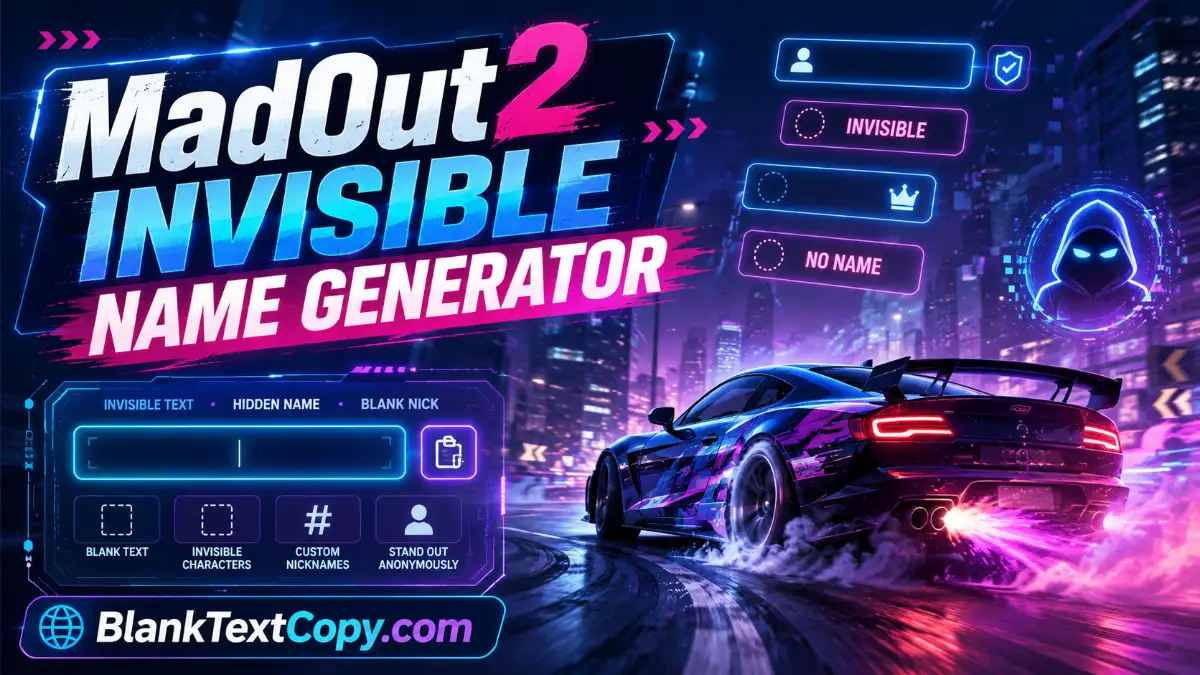
Want to create a MadOut2 invisible name that looks blank, hidden, or almost empty in the game? This tool helps you copy invisible characters, create a blank MadOut2 nickname, add hidden spaces, and decorate your name with stylish symbols in just a few seconds.
MadOut2, also known as MadOut 2: Grand Auto Racing, is an open-world action, racing, shooter, and sandbox-style game with online multiplayer gameplay.
Because player names are highly visible in multiplayer modes, many players want a cleaner, unique, or hidden-looking nickname to stand out.
𓊆SMALL𓊇
𓊆 BIG 𓊇
𓊆MEDIUM BLANK NAME𓊇
⠀𓊆 LONG INVISIBLE NAME 𓊇
╚»⭐ BlankTextCopy.com 🌟«╝
👻 MadOut2 Invisible Name Generator
🚗 Create a MadOut2 invisible name, copy blank characters, add hidden spaces to your nickname, and generate stylish MadOut2 names with cool symbols instantly.
👻 Quick Invisible Name Copy
Choose how many invisible characters you want, then copy a blank name for games, profiles, bios, or social apps.
🛡️ If a game or app rejects your name, reduce the number of spaces or remove extra decorations.
What Is a MadOut2 Invisible Name?
A MadOut2 invisible name is a nickname made with blank Unicode characters instead of normal visible letters. When pasted into the name field, the nickname may look empty, hidden, or separated by invisible spaces, depending on how MadOut2 displays the character on your device.
This is useful if you want a clean blank name, a mystery-style profile, or a nickname with hidden spacing such as:
⠀
⠀⠀⠀⠀
Pro⠀Driver
Ghost⠀Rider
亗⠀MadOut⠀King
꧁⠀Racer⠀꧂
The invisible space used by this tool is designed to be copied and pasted easily. However, each game version may filter names differently, so you should always test the result before confirming a paid or limited name change.
How to make your name invisible on Madout2 ?
Using the tool above is simple. You can either copy a fully blank name or generate a stylish MadOut2 nickname with hidden spaces.
Steps:
Choose how many invisible characters you want.
Click Copy Invisible Name if you want a blank nickname.
Or enter your name in the nickname generator.
Select the space width: Mini, Normal, Wide, Pro, or Max.
Choose where to insert the hidden space: start, middle, end, or between letters.
Add prefix or suffix symbols if you want a stylish name.
Click Copy Result.
Paste it into the MadOut2 name field.
For most players, 8–12 invisible characters are enough for a blank-looking name. If MadOut2 does not accept your name, try fewer characters or use a visible nickname with hidden spaces instead.
The exact menu name may change depending on your MadOut2 version, device, or update, but the process is usually similar.
General method:
Open MadOut2 on your device.
Go to your profile, account, or player settings area.
Find the nickname, name, or edit profile option.
Delete your current name.
Paste the invisible name or generated nickname from this page.
Preview the result if the game allows it.
Confirm the name change.
If MadOut2 asks for a rename item, in-game currency, or confirmation fee, test the invisible name carefully before saving it. Some games reject blank-looking names after you paste them, while others may display them differently in chat, profile, or multiplayer rooms.
Best MadOut2 Invisible Name Settings
For the best result, start with a simple setup before adding extra decorations.
Recommended settings:
Blank name: 8 invisible characters
Short blank name: 3–5 invisible characters
Hidden space nickname: 1x or 2x space width
Stylish nickname: prefix symbol + name + suffix symbol
Safer format: visible name with invisible space, such as Racer⠀Pro
If a fully invisible name does not work, use a semi-invisible style instead. For example, Ghost⠀Driver or MadOut⠀King is usually easier for games to accept than a completely blank nickname.
Here are some examples you can create with the tool:
Ghost⠀Rider
MadOut⠀King
Racer⠀Pro
Drift⠀Boss
City⠀Legend
亗⠀Driver
Speed⠀×͜×
꧁⠀MadOut⠀꧂
☯⠀Racer
Legend⠀〆
You can copy one of these ideas, change the words, or use the random style section in the tool to generate more MadOut2 invisible name ideas.
Why Is My MadOut2 Invisible Name Not Working?
Sometimes an invisible name may not work because the game filters special characters, blocks blank names, or limits nickname length.
Try these fixes:
Use fewer invisible characters.
Try 3, 5, or 8 characters instead of a long blank name.
Use a visible name with hidden spaces, like Driver⠀X.
Remove extra symbols if the game says the name is invalid.
Avoid very long nicknames.
Restart the game and check how your name appears in profile and multiplayer mode.
If the fully blank version fails, the safest option is usually a stylish name with a hidden space in the middle.
Is It Safe to Use an Invisible Name in MadOut2?
Using invisible characters is generally a text styling trick, but you should avoid using it to impersonate other players, hide from moderation, spam, or break game rules. A clean hidden-space nickname is usually better than an abusive or confusing blank name.
Also, do not use your real personal information in your nickname. Keep your MadOut2 name short, unique, and easy to change later if needed.
🌟 Looking for a way to prank friends? Try our guide on Blank Message Copy Paste to send invisible text across apps.
FAQ About MadOut2 Invisible Name
What is the best invisible character for MadOut2?
The tool uses a blank Unicode character that can create hidden spaces or blank-looking names. If one result does not work, try a shorter invisible name or a nickname with visible letters and hidden spaces.
Can I make my MadOut2 name completely blank?
You can try copying a blank name from the tool, but whether it works depends on the current MadOut2 name filter. If the game blocks it, use a semi-invisible nickname instead.
How many invisible characters should I use?
Start with 8 characters. If that does not work, try 3–5 characters. Longer blank names may be rejected by some games.
Can I use symbols with my invisible MadOut2 name?
Yes. You can add symbols before or after your name, such as 亗, 〆, ×͜×, ☯, or ꧁ ꧂. Keep the name short so it is easier for the game to accept.
Does this work on Android, iPhone, and PC?
The copied invisible character can be pasted on Android, iPhone, and PC, but MadOut2 may display or filter it differently depending on the platform and game version.
Final Thoughts
A MadOut2 invisible name is a simple way to make your nickname look hidden, clean, or more stylish. Use the generator above to copy a blank name, insert hidden spaces, add symbols, and create a unique MadOut2 nickname in seconds.
For the best result, start with 3–8 invisible characters, preview the name before saving, and switch to a visible stylish nickname if a completely blank name does not work.