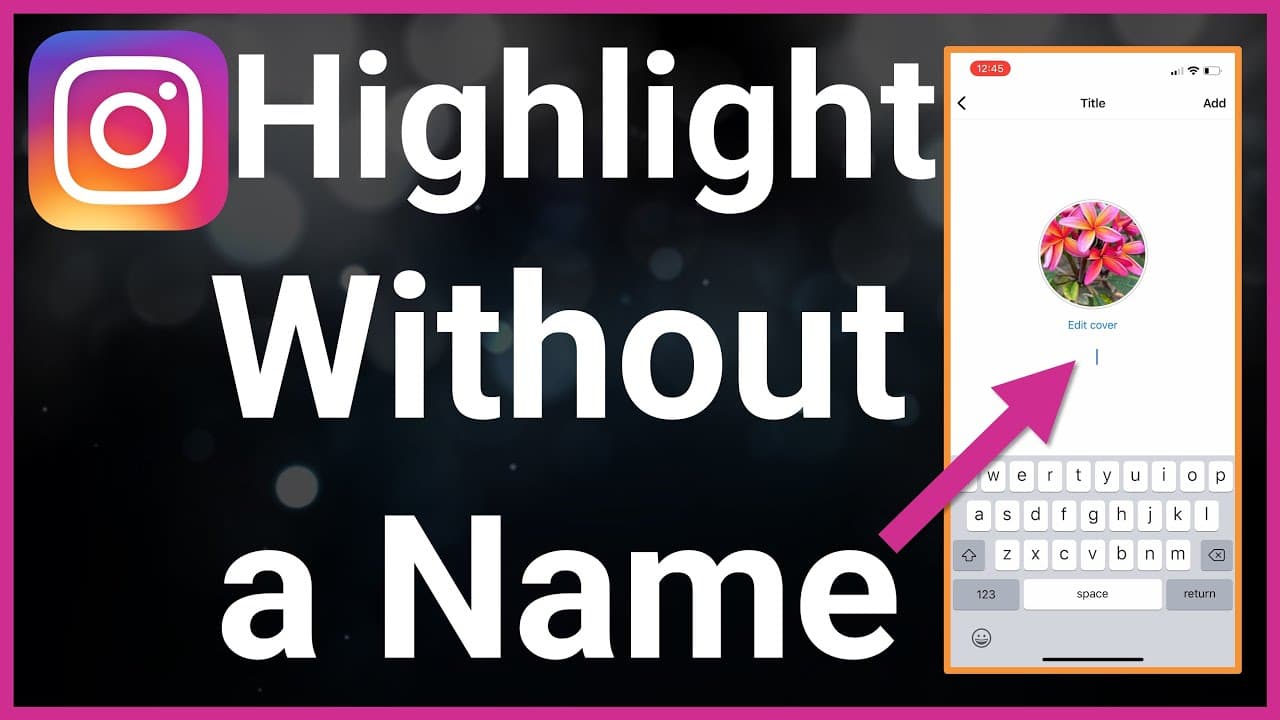
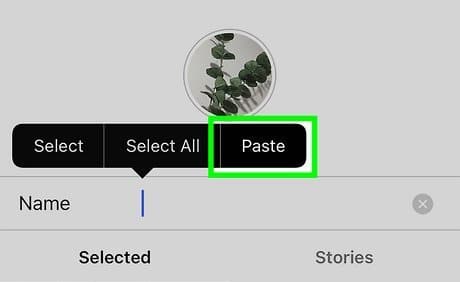
Instagram keeps evolving, but one thing remains the same: the desire for a unique and creative profile. Among the tricks that users love, adding a blank space for Instagram highlights name has become a subtle yet powerful way to stand out. Whether you want minimalist vibes, symmetry in your highlight covers, or simply a way to hide text, blank and invisible characters make it possible.
This guide for 2026 explains everything: how to copy and paste blank spaces, how to rename your Instagram highlight sections, and how to use empty characters safely. Along the way, you’ll find internal resources from BlankTextCopy.com — your trusted toolkit for copying, generating, inspecting, and cleaning invisible characters.
✨ The simplest way to create blank highlight names is by using a ready-made blank text generator. Instead of struggling with normal spaces that Instagram ignores, you can copy special Unicode whitespace characters that the platform accepts.
𓊆SHORT𓊇
𓊆 MEDIUM 𓊇
⠀ ⠀ ⠀ ⠀ ⠀ ⠀ ⠀ ⠀
⠀ ⠀ ⠀ ⠀ ⠀ ⠀ ⠀ ⠀ ⠀
𓊆LONG BLANK COPY AND PASTE𓊇
𓊆VERY LONG BLANK SPACE FOR INSTAGRAM COPY AND PASTE𓊇
╚»⭐ BlankTextCopy.com 🌟«╝
👻 Instagram Invisible Name Copy and Paste
🔥 Use this Instagram invisible name tool to copy blank characters, create hidden space text, make invisible Instagram names, and decorate your profile, bio, captions, or username style with aesthetic symbols. 📸✨
👻 Quick Invisible Name Copy
Choose how many invisible characters you want, then copy a blank name for games, profiles, bios, or social apps.
🛡️ If a game or app rejects your name, reduce the number of spaces or remove extra decorations.
Use the blank text generator for Instagram highlights, message below to create as many custom styles as you like 👇
💥🌸🌿 Need more ideas for your Instagram bio and captions? Use these tools to build stylish fonts, ready-made bios and catchy nicknames that look clean on your profile.
Minimalism: many creators want only icons or custom cover images without words.
Symmetry: leaving the text blank keeps all highlights looking uniform.
Mystery: viewers see icons only, making the profile more intriguing.
💡 Extra tip: If Instagram blocks certain characters, use the Invisible Character Detector & Viewer – Remove Hidden Online to see which Unicode blank you pasted. This helps you confirm whether it’s a zero-width space (ZWSP), non-breaking space (NBSP), or another invisible symbol.
Extra tools if you want to play more with your Instagram bio, captions, comments and invisible tricks:
How to Delete a Highlight on Instagram Web, on MAC, Chromebook ?
Sometimes you don’t want to rename or style a highlight — you just want to remove Instagram highlight names completely. Instagram makes this possible both on mobile and on the web version.
Here’s how to delete a highlight using Instagram Web (desktop browser):
Log in to your Instagram account from any browser.
Go to your profile page.
Locate the highlight bar under your bio.
Hover over the highlight you want to delete and click to open it.
In the highlight viewer, click the three-dot menu (⋯) at the top right.
Select “Delete Highlight”.
Confirm → the highlight will be removed from your profile.
⚡ Notes:
Deleting a highlight doesn’t remove the original stories from your archive (unless you manually delete those).
You can always create a new highlight later using the same archived stories.
If you’re unsure whether to fully delete, you can simply edit the name with blank text (see our blank text generator) for a minimal look instead of removing it.
At a technical level, Instagram uses Unicode to process text. Normal spaces (U+0020) often get trimmed, which is why they don’t work for blank highlights. Instead, you need special characters like:
Zero-Width Space (U+200B): invisible, zero width.
Non-Breaking Space (U+00A0): visible, no wrap.
Em Space (U+2003): wide visible space.
Hangul Filler (U+3164): historically used for invisible names.
While blank text can be fun, it’s important to use it responsibly:
Don’t try to impersonate other users by making your name invisible.
Use blank spaces for design and minimalism, not for spam.
Remember accessibility: screen readers may misinterpret invisible text.
At BlankTextCopy.com, we follow a strict Methodology to test how characters behave across platforms like Instagram, TikTok, WhatsApp, and Discord. This ensures our guides are accurate and safe.
Q: Can I make a fully blank Instagram highlight name? A: Yes, with zero-width or non-breaking spaces. But Instagram may block certain characters depending on updates.
Q: Why does my blank highlight name disappear after saving? A: Some Unicode characters are normalized or stripped. Try NBSP or ZWSP from our Unicode Hub.
Q: Can I send a completely empty DM? A: Yes, by pasting zero-width characters. But use responsibly; don’t spam blank messages.
Q: Is it safe to use invisible characters in my bio? A: Yes, as long as you use standard Unicode. Avoid obscure symbols that may not render on all devices.
In 2026, blank space for Instagram highlights remains one of the simplest tricks to personalize your profile. With the right invisible or empty characters, you can:
Rename highlights with no text.
Send fun blank messages.
Add creative spacing in your bio.
Experiment safely with usernames.
To get started instantly, try the Blank Text Copy & Paste generator — designed for Instagram, TikTok, WhatsApp, Free Fire, Discord, Roblox, Steam, and more.
Use it responsibly, test before posting, and enjoy making your Instagram profile clean, minimal, and unique.