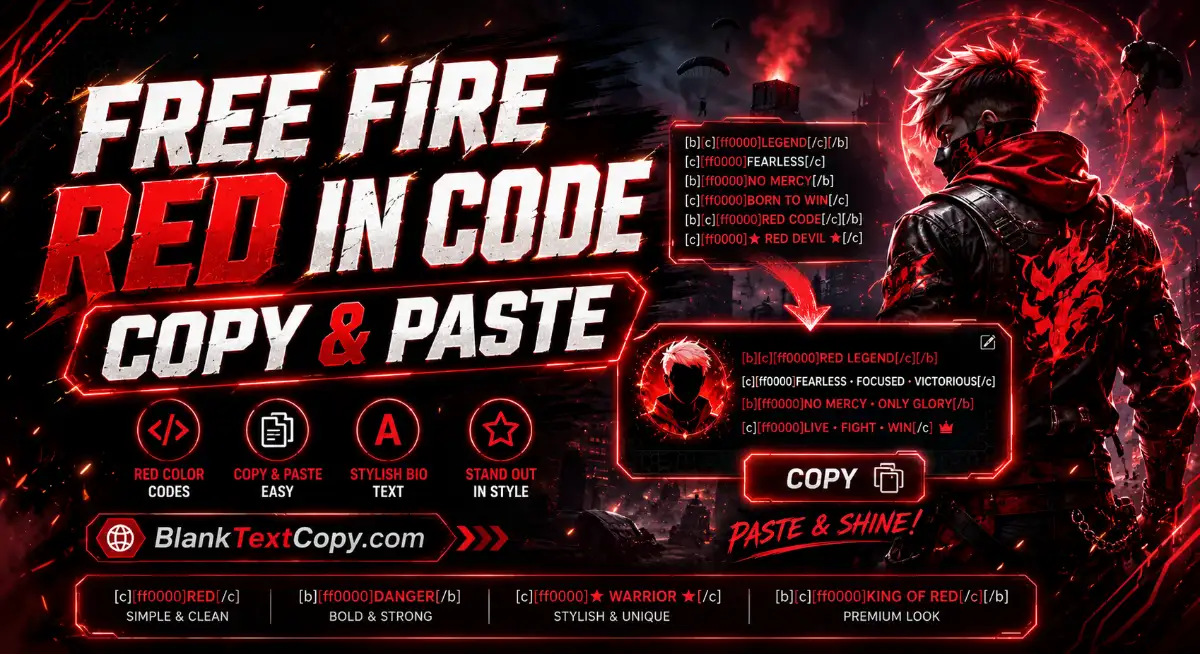
If you are searching for free fire red in code, this page helps you create red Free Fire bio codes, mix red with white, gold, pink, or other colors, and copy ready-to-use [b][c][HEX] codes for your profile. Use the Free Fire Red Bio Code Generator below to type your own text, preview the style, and copy a clean color code instantly.
Red is one of the most popular Free Fire bio colors because it looks bold, powerful, and easy to notice in a player profile. Whether you want a simple red name, a red-and-white bio, a red king style, or a stylish FF signature with symbols, this guide shows you how to create and use red color codes correctly.
Many players search for Free Fire red in code copy & paste because they want a ready-made red bio style without manually typing color tags. The easiest way is to copy a full code line and replace the text with your own name, clan, mood, or signature.
This page focuses on red Free Fire bio codes. For full colour mixing, templates, live preview, and more FF bio styles, use the Free Fire Colour Code Generator to create your own custom Free Fire colour code instantly.
If you want your Free Fire bio to look more unique, add symbols around the red text. Symbols like crowns, stars, swords, skulls, and brackets work well with red.
[b][c][ff0000]★ FREE FIRE ★
[b][c][ff0000]♛ RED KING ♛
[b][c][ff0000]꧁༺ FF HERO ༻꧂
[b][c][ff0000]༒ RED LEGEND ༒
[b][c][ff0000]⚔ FF WARRIOR ⚔
[b][c][ff0000]☠ RED STYLE ☠
[b][c][ff0000]✦ BOOYAH ✦
[b][c][ff0000]♛ FF VIP ♛
[b][c][ff0000]༺ RED FIRE ༻
[b][c][ff0000]꧁ FF PRO ꧂
Tip: do not use too many symbols in one line. A good Free Fire bio should be stylish but still readable.
A Free Fire red bio code is a color formatting code used to make text appear red in supported Free Fire profile areas, especially bio, signature, or badge-style text. The common format uses tags like:
[b][c][ff0000]YOUR TEXT HERE
In this code:
[b] means bold text.
[c] means centered or colored formatting depending on how the game reads the tag.
[ff0000] is the HEX color code for red.
YOUR TEXT HERE is the text you want to display.
The basic red code is:
[b][c][ff0000]YOUR TEXT HERE
For example:
[b][c][ff0000]RED KING
You can also mix red with other colors by adding another HEX color code before the next word:
[b][c][ff0000]RED [ffffff]KING
This will make RED red and KING white, if the formatting is supported in your Free Fire bio area.
If you want a simple style, use one color only. If you want a more premium Free Fire bio, mix red with white, gold, or black-style text.
Best Red HEX Codes for Free Fire Bio
The main red HEX code is ff0000, but you can use different red shades depending on the style you want.
[ff0000] Bright Red
[ff1a1a] Soft Bright Red
[ff3333] Light Red
[ff4d4d] Soft Red
[cc0000] Deep Red
[990000] Dark Red
[800000] Maroon Red
[e60000] Strong Red
[ff0033] Neon Red Pink
For most Free Fire bios, these are the best choices:
[ff0000] for classic red.
[cc0000] for strong dark red.
[ff3333] for a softer red.
[990000] for a darker, serious look.
[ff0033] for red-pink neon style.
If your bio looks too bright, use cc0000 or 990000. If it looks too dark, use ff0000 or ff3333.
How to Use the Free Fire Red Bio Code Generator
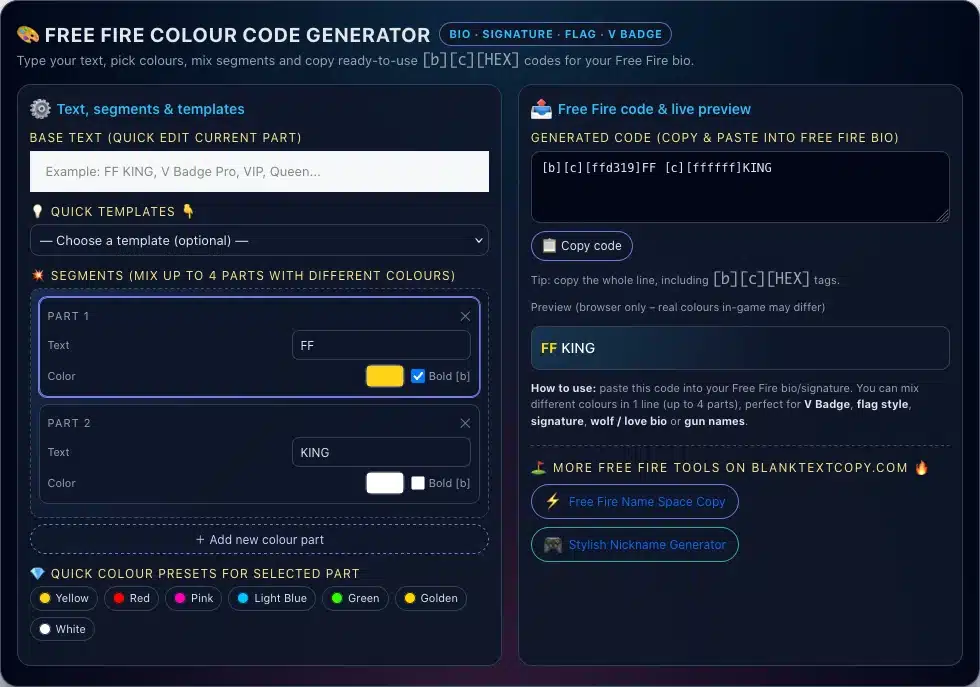
The Free Fire Red Bio Code Generator is made to help you create your own red color bio without editing each tag manually. You can type your text, choose a red color, mix more segments, preview the result, and copy the final code.
Free Fire Colour Code Generator
Here is how to use it:
Step 1: Type your base text Enter your name, clan title, short bio, or signature text. Example: FF KING, RED LEGEND, BOOYAH, PRO PLAYER.
Step 2: Choose a template You can select a quick template if you want a ready-made Free Fire style. Templates are useful for names, V badge style, flag style, wolf bio, love bio, or gun-style text.
Step 3: Edit each color segment The app lets you split your bio into different parts. For example:
Part 1: RED
Part 2: KING
Part 3: FF
Step 4: Pick red or mixed colors Choose red for the main part, then use white, gold, pink, or blue for the next words if you want more contrast.
Step 5: Enable bold if needed Bold text usually looks stronger in Free Fire bios, especially for short words like KING, VIP, FF, or BOOYAH.
Step 6: Copy the generated code After the app creates the full code, click Copy code and paste it into your Free Fire bio or signature area.
Example output:
[b][c][ffd319]FF [c][ffffff]KING
You can edit the colors, change the words, or add symbols before copying.
How to Add Red Bio Code in Free Fire ?
After copying your red bio code, you need to paste it into the correct profile area.
General steps:
Open Free Fire on your device.
Go to your profile section.
Find the bio, signature, or editable text area.
Paste the full code you copied.
Save the changes.
Check how the text appears in your profile.
If the code does not display as expected, try a shorter version first:
[b][c][ff0000]RED
If that works, you can add more words, colors, or symbols.
A good Free Fire red bio should be short, bold, and easy to recognize. Red already has strong visual impact, so you do not need to add too many extra effects.
Useful tips:
Use short words like KING, VIP, BOOYAH, FF, PRO, LEGEND.
Mix red with white for clean readability.
Mix red with gold for a premium look.
Add only 1–2 symbols on each side.
Avoid very long bios because they may look crowded.
Test the code in the generator before pasting it.
Keep your main message simple and easy to read.
Good style:
[b][c][ff0000]♛ RED [ffffff]KING ♛
Too crowded:
[b][c][ff0000]꧁༒☬♛★RED KING FF LEGEND PRO VIP BOOYAH★♛☬༒꧂
Short and clean bios usually look better on mobile screens.
Common Free Fire Red Code Problems
Sometimes a code may not display the way you expect. Here are common reasons:
The code is too long Some profile areas may limit text length.
Missing color brackets Make sure the HEX color is inside brackets, like [ff0000].
Wrong format order A clean format is usually:
[b][c][ff0000]TEXT
Unsupported area Some areas may not support all tags or symbols.
Too many special characters Some symbols may not display correctly on all devices.
Extra spaces or broken tags Avoid spaces inside color tags. Use [ff0000], not [ff 0000].
What is Free Fire red in code? Free Fire red in code usually means the red color code used in a Free Fire bio or signature. The common red HEX code is [ff0000].
What is the best red code for Free Fire bio? The best basic red code is:
[b][c][ff0000]YOUR TEXT HERE
Can I copy and paste Free Fire red bio codes? Yes. You can copy the full code line and paste it into your Free Fire bio or signature area if that area supports the formatting.
What does [ff0000] mean? [ff0000] is a HEX color code for bright red.
Can I mix red with white in Free Fire bio? Yes. You can use red for one word and white for another word:
[b][c][ff0000]RED [ffffff]PLAYER
Can I use red with gold? Yes. Red and gold is a great combination for VIP, king, or legend-style bios:
[b][c][ff0000]RED [ffd700]KING
Why is my Free Fire red code not working? The code may be pasted into an unsupported area, the tag may be broken, the text may be too long, or the format may not be accepted. Try a simple code like [b][c][ff0000]TEST first.
Can I use symbols in red Free Fire bio code? Yes. You can add symbols like ★, ♛, ༒, ꧁꧂, ⚔, or ☠, but keep the bio readable.
Is this a Free Fire redeem code? No. A Free Fire red bio code is a text color code for profile styling. It is not a reward code or redeem code.
What is the easiest way to create a red Free Fire bio? Use the generator on this page, type your text, choose red or mixed colors, preview the style, and copy the final code.