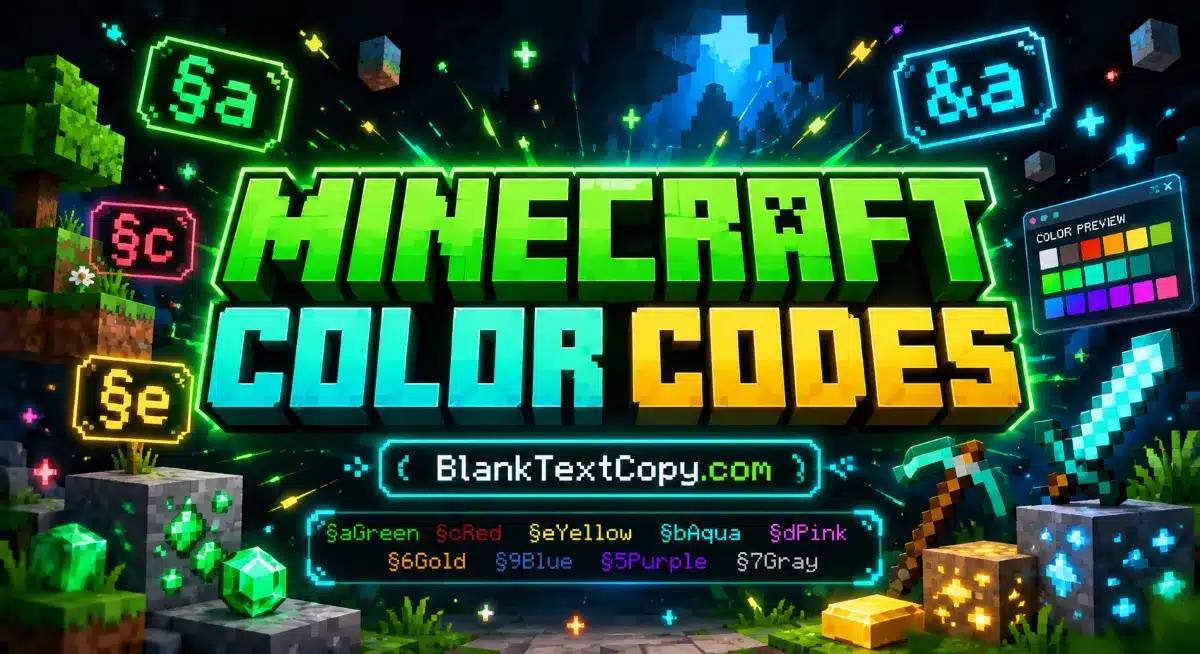
MC Color Codes & Minecraft Color Text Generator helps you create colored text for chat, ranks, prefixes, MOTD, signs, item names, scoreboards, and server messages. Type your text, choose a Minecraft color code, add effects like bold or italic, then copy the §, &, MOTD, or JSON format instantly.
Use the Minecraft color text generator below to preview your style before copying it into a server, MOTD, rank prefix, sign, scoreboard, or item name. Pick a color, combine it with formatting codes like bold, italic, underline, or reset, and create clean Minecraft text that looks great in supported game areas.
⛏️ Minecraft Color Code Generator
🌈 Minecraft Color Codes
🎮 Create colored Minecraft text for chat, ranks, prefixes, MOTD, scoreboards, item names, signs, server messages, and JSON text.
§
💡 Quick Note:
🟩§ codes are Minecraft legacy formatting codes.
🧩& codes are commonly used by servers and plugins.
📢\u00A7 is useful for MOTD and config files.
⚙️JSON is useful for commands, datapacks, and text components.
⚡ Live Builder
📝 Type Text, Pick a Color, Copy the Code
✨ Text Effects
Live Preview
BlankTextCopy
Generated Code§aBlankTextCopy§r
Reset Code
§r resets color and formatting back to default. Use it at the end of a colored section so the style does not continue into the next text.
🏷️ Rank / Prefix
Great for server ranks, player prefixes, staff tags, and VIP labels.
&a&lVIP &fPlayer&r
📢 Server MOTD
Use \u00A7 in configuration files to avoid broken section symbols.
\u00A7eWelcome \u00A7ato the Server\u00A7r
💬 Chat / Broadcast
Many chat plugins support &a, &l, and &r.
&b&lHello &eMinecraft&r
⚙️ JSON Text
Useful for commands, datapacks, tellraw messages, and text components.
{"text":"Hello","color":"green","bold":true}
✅️ Built for real Minecraft formatting:Includes the standard 16 Minecraft colors, Minecraft names, hex values, decimal values, chat codes, MOTD codes, and formatting codes.
💥 Important:Official Minecraft usernames usually do not support color codes. Color codes are mainly used in servers, plugins, chat, MOTD, scoreboards, item names, signs, books, and custom text systems.
What Is a Minecraft Color Code?
A Minecraft color code is a special formatting code used to change the color of text in supported Minecraft areas. Instead of using normal web colors like #ff0000, Minecraft uses short codes such as §a, §c, §e, or plugin-friendly codes like &a, &c, and &e.
For example:
§aGreen Text
§cRed Text
§eYellow Text
On many servers, the same colors are written with &:
&aGreen Text
&cRed Text
&eYellow Text
The § symbol is the traditional Minecraft formatting symbol. The & version is commonly used by server plugins because it is easier to type and manage. Some systems also use \u00A7 for MOTD and config files.
A Minecraft color text generator makes it easier to create colored text without memorizing every code. Instead of looking up each Minecraft color symbol manually, you can type your text, select a color, choose a format, and copy the result.
You can use the generator for:
Minecraft chat color codes
Minecraft MOTD color codes
Rank and prefix colors
Minecraft colored sign text
Scoreboard lines
Item names
Server messages
JSON text components
For example, if you type:
VIP Player
And choose green + bold, the generator can create:
§a§lVIP Player§r
For server plugins, it can create:
&a&lVIP Player&r
For MOTD config files, it can create:
\u00A7a\u00A7lVIP Player\u00A7r
For JSON commands, it can create:
{"text":"VIP Player","color":"green","bold":true}
How to Use the Minecraft Color Text Generator ?
Using the tool is simple. You only need to choose the format that matches where you want to use the text.
Step 1: Type your text Enter a name, rank, message, sign text, item name, or server line.
Step 2: Choose the output format Select § Code, & Code, MOTD Code, or JSON Text.
Step 3: Pick a Minecraft color Choose from all Minecraft colors such as green, red, yellow, aqua, white, gray, gold, or dark blue.
Step 4: Add text effects You can add bold, italic, underline, strikethrough, or obfuscated text.
Step 5: Copy and paste Copy the generated code and paste it into your supported Minecraft server, plugin, MOTD, command, sign, or configuration file.
The most important part is choosing the right format. If you paste a § code into a place that only supports & codes, the color may not work.
All Minecraft Colors
Minecraft has 16 standard text colors. These are the main colors used for chat, MOTD, server ranks, signs, item names, and other custom text systems.
Code
Color Name
Minecraft Name
Hex
§0
Black
black
#000000
§1
Dark Blue
dark_blue
#0000AA
§2
Dark Green
dark_green
#00AA00
§3
Dark Aqua
dark_aqua
#00AAAA
§4
Dark Red
dark_red
#AA0000
§5
Dark Purple
dark_purple
#AA00AA
§6
Gold
gold
#FFAA00
§7
Gray
gray
#AAAAAA
§8
Dark Gray
dark_gray
#555555
§9
Blue
blue
#5555FF
§a
Green
green
#55FF55
§b
Aqua
aqua
#55FFFF
§c
Red
red
#FF5555
§d
Light Purple
light_purple
#FF55FF
§e
Yellow
yellow
#FFFF55
§f
White
white
#FFFFFF
These are the core all Minecraft colors used in classic formatting. Some modern systems, plugins, or server tools may support extra hex colors, but the 16-code table above is the standard base that most players recognize.
The phrase ID color Minecraft usually refers to the internal color name or code used by Minecraft systems. For example, the green color has the code §a and the internal name green.
Here are a few examples:
§a = green
§c = red
§e = yellow
§f = white
§7 = gray
§6 = gold
In JSON text, you usually use the Minecraft color name instead of the § code:
{"text":"Hello","color":"green"}
For bold green text:
{"text":"Hello","color":"green","bold":true}
This is why the generator includes both the visual code and the Minecraft color name. It helps you use the right format for chat, plugins, MOTD, and commands.
Minecraft White, Gray Minecraft, and Minecraft Green
Some Minecraft colors are used more often than others because they look clean and readable in many situations.
Minecraft White
Minecraft white uses the code:
§f
White is useful for normal text, descriptions, player names, and the second part of a colored message.
Example:
§aSuccess! §fYour reward has been claimed.
Here, Success! is green, while the rest of the text is white.
Gray Minecraft Text
Gray Minecraft text uses:
§7
Gray is great for secondary information, descriptions, inactive labels, cooldown text, or extra notes.
Example:
§7Click to view more details.
Dark gray uses:
§8
Dark gray looks more subtle and is often used for separators or muted labels.
Minecraft Green
Minecraft green is one of the most popular text colors. It uses:
§a
Green is commonly used for success messages, online status, positive actions, rewards, and confirmation text.
Example:
§a✔ Purchase complete!
Dark green uses:
§2
Dark green is better for deeper, calmer, or more classic server styling.
Minecraft Color Symbol
The main Minecraft color symbol is:
§
This symbol is called the section sign. In Minecraft formatting, it is followed by a color or format code.
Examples:
§a
§b
§c
§l
§r
However, many users cannot easily type the § symbol on every keyboard. That is why servers and plugins often allow & instead:
&a
&b
&c
&l
&r
In config files, especially MOTD, you may also see:
\u00A7a
\u00A7c
\u00A7e
The generator helps you copy all three formats without typing them manually.
Minecraft Colored Sign
A Minecraft colored sign can make shops, rules, directions, warnings, and server areas easier to read. Whether color works on signs depends on your Minecraft version, server setup, and plugins.
Examples of sign text:
§6§lSHOP
§aBuy Items
§cNo PvP
§bWelcome
Server/plugin format:
&6&lSHOP
&aBuy Items
&cNo PvP
&bWelcome
Good sign color combinations:
§6§lSHOP for shop titles
§c§lWARNING for danger areas
§aSAFE ZONE for safe locations
§bPORTAL for teleport areas
§eQUEST for NPC or mission signs
Keep colored signs short. If you add too many colors or effects, the sign may become hard to read.
Minecraft is not only about colors. You can also use formatting codes to change text style.
Code
Effect
§k
Obfuscated
§l
Bold
§m
Strikethrough
§n
Underline
§o
Italic
§r
Reset
Examples:
§lBold Text
§oItalic Text
§nUnderlined Text
§mStrikethrough Text
§kMagic Text
§rReset Text
You can combine color and formatting:
§a§lGreen Bold Text
§c§oRed Italic Text
§e§nYellow Underlined Text
For plugins:
&a&lGreen Bold Text
&c&oRed Italic Text
&e&nYellow Underlined Text
The reset code §r is very important. It stops the color or effect from continuing into the next text.
Example:
§a§lVIP§r Player
In this example, only VIP is green and bold. Player returns to the default style.
Colour by Numbers Minecraft
The keyword colour by numbers Minecraft can be understood as a simple way to remember Minecraft colors through short number-and-letter codes. Each Minecraft color has a small ID such as 0, 1, 2, a, b, or f.
For example:
0 = black
1 = dark blue
2 = dark green
a = green
b = aqua
c = red
e = yellow
f = white
So when you see:
§aHello
It means Minecraft is applying the color ID a, which is green.
When you see:
§fHello
It means Minecraft is applying the color ID f, which is white.
This is why the color table is helpful. It works like a compact “color by number” system for Minecraft text styling.
Use Minecraft color codes carefully. A clean color setup often looks better than a line filled with too many effects.
Useful tips:
Use green for success messages Example: §aReward claimed!
Use red for warnings Example: §cPvP is enabled!
Use yellow or gold for highlights Example: §eNew event starts now!
Use white for normal readable text Example: §fWelcome to the server.
Use gray for secondary notes Example: §7Right-click to open menu.
Use bold for short labels only Example: §6§lVIP
Use reset at the end Example: §aDone!§r
Avoid using too many formats in one line:
§a§l§n§o§kToo many effects
This may look messy and hard to read. A better format is:
§a§lVIP §fPlayer§r
Where Minecraft Color Codes Work
Minecraft color codes may work in different places depending on your version, platform, server, plugin, or command setup.
Common supported places include:
Server chat
Admin broadcasts
MOTD
Rank prefixes
Scoreboard text
Item names
Lore text
Signs
Books
NPC names
Server menus
Command text
JSON text components
Official Minecraft usernames usually do not support color codes. If you want a colored name, it usually needs to be handled by a server, rank plugin, nickname plugin, or custom system.
What is the best Minecraft color code? It depends on your use case. §a green is great for success messages, §c red is great for warnings, §e yellow is good for highlights, and §6 gold is popular for VIP ranks.
What is the Minecraft color symbol? The main Minecraft color symbol is §. It is followed by a color or formatting code, such as §a, §c, or §l.
Can I use & codes instead of § codes? Yes, but only in places that support them. Many servers and plugins allow &a, &c, and &l, then convert them to Minecraft formatting internally.
What is the Minecraft white code? The Minecraft white code is §f. In plugin format, it is &f.
What is the gray Minecraft color code? Gray is §7, and dark gray is §8.
What is the Minecraft green code? Green is §a, and dark green is §2.
Can I use Minecraft color codes in my username? Usually no. Official Minecraft usernames do not normally support color codes. Color is mainly used on servers, plugins, chat, ranks, MOTD, scoreboards, item names, signs, and custom text systems.
What does §r do? §r resets the text back to the default color and style. It is useful when you want to stop a color or effect.
What is the difference between MOTD code and chat code? Chat code often uses §a or &a. MOTD/config files often use \u00A7a to avoid symbol encoding issues.
Can I create a Minecraft colored sign? Yes, if your version, server, or plugin supports it. Use simple colors like §6SHOP, §aSAFE ZONE, or §cWARNING.
Can this tool generate JSON text? Yes. The generator can create JSON text using Minecraft color names like green, red, yellow, aqua, and white.
Are all Minecraft colors included? Yes. The standard 16 Minecraft colors are included, from §0 black to §f white.
Some players also confuse Minecraft text colors with colored blocks. Minecraft color codes are different from colored building blocks. If you search for a minecraft block red, minecraft yellow block, white concrete minecraft, red minecraft block, blue minecraft block, or green minecraft block, you are usually looking for in-game blocks such as concrete, wool, terracotta, stained glass, or other building materials. This generator focuses on Minecraft colored text instead, helping you create color codes for chat, ranks, MOTD, signs, item names, scoreboards, and server messages.