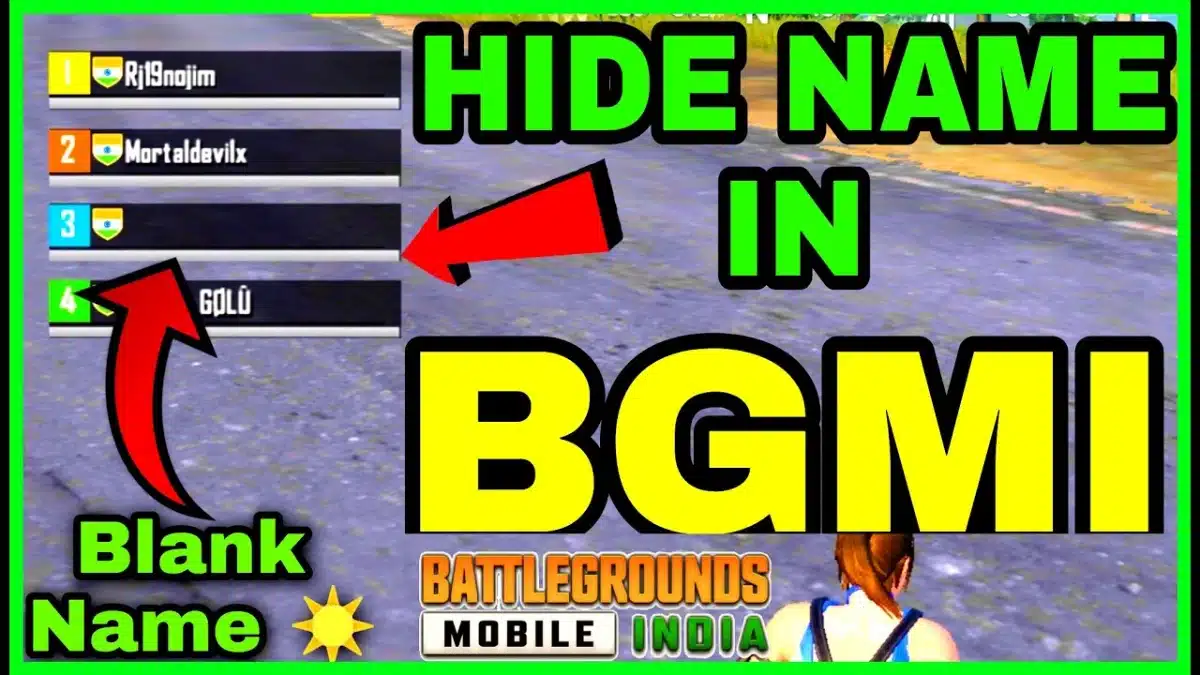
In 2026, PUBG Mobile and PUBG Battlegrounds remain among the world’s most popular survival shooters. Players constantly look for ways to make their profiles stand out—whether through rare skins, clan tags, or unique nicknames. One of the most searched tricks is creating a PUBG invisible name, often called a blank nickname.
An invisible name in PUBG gives your character a mysterious aura. Instead of showing a regular username, your ID appears as empty space. This guide explains how to generate and copy invisible names, change your profile, and avoid common pitfalls.
The easiest way to set a hidden name in PUBG is to use Unicode blank characters. Unlike normal spaces, these characters don’t get removed by the game, which makes them perfect for no name profiles.
𓊆COPY SIMBLE BLANK NAME𓊇
️
⠀ ⠀ ⠀ ⠀ ⠀ ⠀ ⠀ ⠀
⠀ ⠀ ⠀ ⠀ ⠀ ⠀ ⠀ ⠀ ⠀
╚»⭐ BlankTextCopy.com 🌟«╝
👻 PUBG Invisible Name Copy and Paste
🔥 Use this PUBG invisible name tool to copy blank characters, create hidden space usernames, make stylish PUBG nicknames, and decorate your game name with symbols for a unique profile. ✨
👻 Quick Invisible Name Copy
Choose how many invisible characters you want, then copy a blank name for games, profiles, bios, or social apps.
PUBG Mobile doesn’t always accept a normal keyboard space in names, so the easiest method is to use an invisible space character (a special blank symbol that looks like a space, but the game can still read it). You can copy one directly from the invisible-space app included in this article.
Pubg Blank Nickname Copy
Step 1: Open the Invisible Space App (in this article)
Scroll down to the section where the PUBG Invisible Name / Invisible Space tool appears.
Step 2: Copy a Blank Space SampleBelow
In the app:
Choose one invisible space sample (pick the first option to start).
Tap Copy to copy that blank character to your clipboard.
Tip: If the first sample doesn’t work in PUBG Mobile, come back and copy a different sample from the app (some spaces are blocked, some are accepted).
Step 3: Paste the Invisible Space into Your PUBG Name
Open PUBG Mobile → go to your Profile.
Tap the Edit name (Rename) option.
Paste the invisible space where you want it:
Between words: Pro[blank]Player
At the end: ProPlayer[blank]
At the start (sometimes restricted): [blank]ProPlayer
Step 4: Save and Confirm
Tap OK/Confirm to save the new name.
Extra tips for better success (If It Doesn’t Save)
Try a different invisible space sample from the app (scroll down, copy another option, then paste again).
Don’t paste too many invisible spaces in a row (1–2 is usually enough).
Paste the blank between letters first (often works better than placing it at the beginning).
Avoid mixing invisible spaces with too many special symbols at once.
If one position doesn’t work (start), try placing it in the middle or at the end.
How to Make a PUBG Blank Name ?
Follow these steps to create a blank nickname in PUBG 2026:
Get a Rename Card → You can buy it in the shop or earn it during events.
Copy an Invisible Character → From the generator or Unicode sources.
Go to Profile Settings → Tap the edit button near your nickname.
Paste the Blank Character → Into the name box instead of typing letters.
Save and Confirm → PUBG accepts the hidden character, giving you a no name ID.
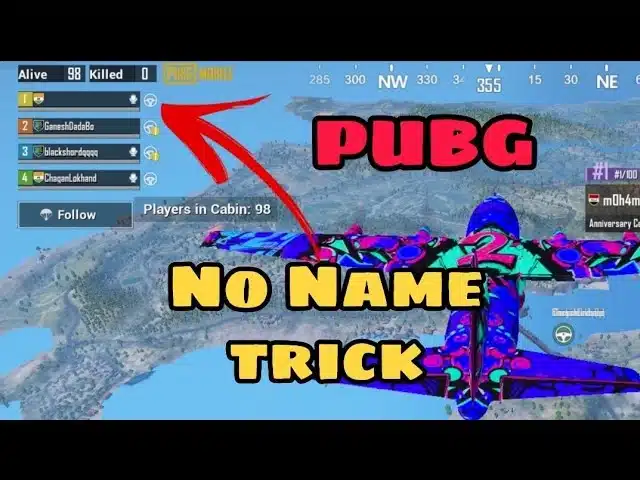
PUBG No Name Trick
⚠️ Sometimes the system may reject certain invisible characters. If that happens, try alternatives like NBSP (non-breaking space), Hangul Filler, or Zero-Width Space.
While a blank name looks stylish, keep these tips in mind:
Check game version: Some PUBG updates patch tricks that used to work. Always test before confirming.
Use one character: Too many invisible characters may trigger invalid name errors.
Don’t exploit: PUBG rules prohibit unfair manipulation. Use blank names only for cosmetic purposes.
Have a backup: Keep your original name saved somewhere in case you need to restore it.
👉 If you enjoy experimenting with hidden usernames, see how it’s done in Discord Invisible Profiles for inspiration.
PUBG Invisible Nickname Copy Stylish
Players often combine invisible text with stylish symbols to make their names stand out even more. For example:
Blank space + ★ → Creates a star-only nickname.
Invisible character + Ꭰ → Gives the impression of a floating letter.
Empty string + clan tag → Keeps your ID minimal but still identifies your group.
Common Issues
Name rejected: If PUBG blocks your blank input, try a different character.
Display glitches: On some devices, an invisible name may show as a small square or dot.
Report risks: Some players may report no name IDs as “bug abuse.” Always be cautious.
Remember, blank names are purely aesthetic. They don’t provide gameplay advantages but can make your profile unique in lobbies.
╰┈➤ Learn step by step how to set a Twitter Blank Name with copy-paste invisible text and make your X profile stand out.
PUBG Invisible Name Generator 2026 – Final Tips & Insights
By 2026, invisible names in PUBG have gone beyond just being a fun cosmetic trick. They’ve become part of a wider culture where players use blank nicknames, stylish symbols, and hidden characters to stand out in competitive lobbies.
🔑 Final Tips for Players
Experiment safely: Not every invisible character works the same across all PUBG versions. Always test your name in training mode before playing ranked matches.
Stylish combinations: Try mixing a blank character with minimal symbols like ★, ✦, or clan tags for a creative profile.
Know the limits: While blank nicknames are allowed, impersonating others or abusing hidden characters to confuse teammates can result in reports.
Stay updated: PUBG frequently changes its text validation system. If your old trick stops working, visit updated guides or tools like BlankTextCopy.com to find new working codes.
🌐 Cross-Platform Inspiration
Invisible and blank names aren’t unique to PUBG. Players also explore them in:
This shows how blank text and hidden characters have become a universal digital style across games and apps.
A PUBG invisible name generator is more than just a gimmick — it’s a way to express creativity and individuality in one of the world’s most competitive games. If you want your profile to look mysterious, clean, or simply different from the crowd, a blank nickname is the easiest way to achieve it in 2026.
A PUBG invisible name or blank nickname is one of the easiest ways to personalize your profile in 2026. By copying hidden Unicode characters and pasting them into the rename field, you can create a clean, no name look that surprises friends and opponents alike.
👉 Try it yourself with the Blank Text Generator, and check out related guides on Roblox, Discord, or Among Us for more invisible name tricks.
Play fair, stay creative, and let your blank nickname do the talking.